AI Pixel Art Generator
Describe a character, a level or a set of items, and the AI pixel art generator draws it with hard pixel edges, a limited palette and the look of an 8-bit or 16-bit game.
Optional: add a sketch or a character reference
No subscription·Failed runs refund credits
Sign in to get free credits every day and keep your creations.
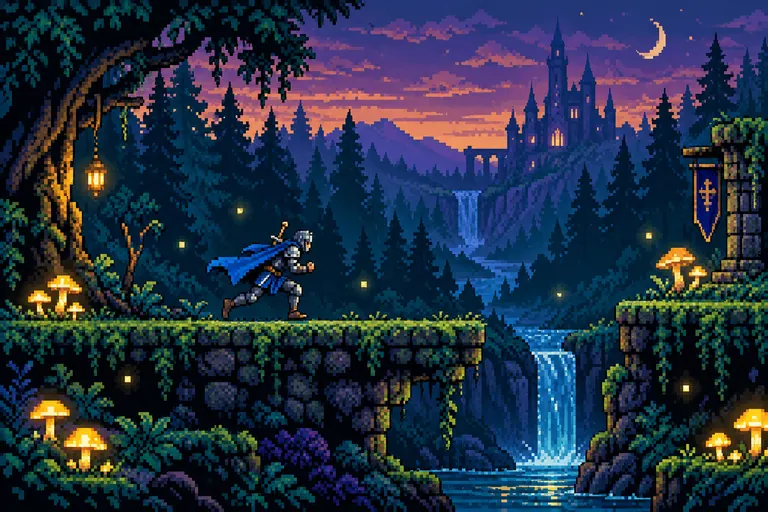
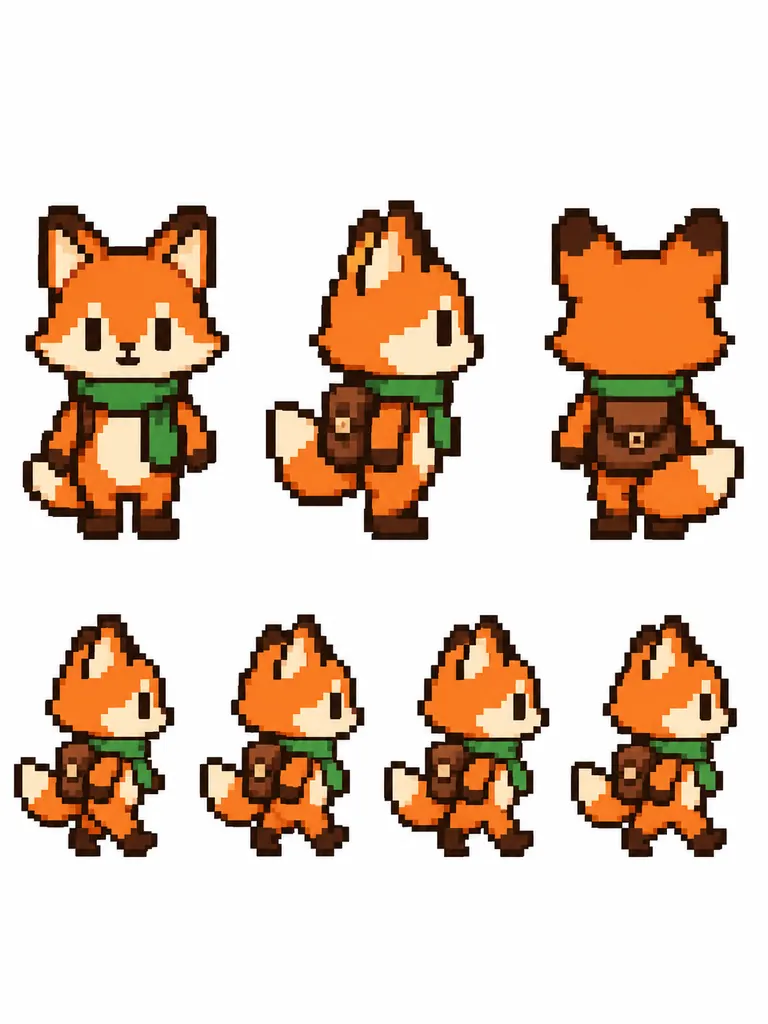
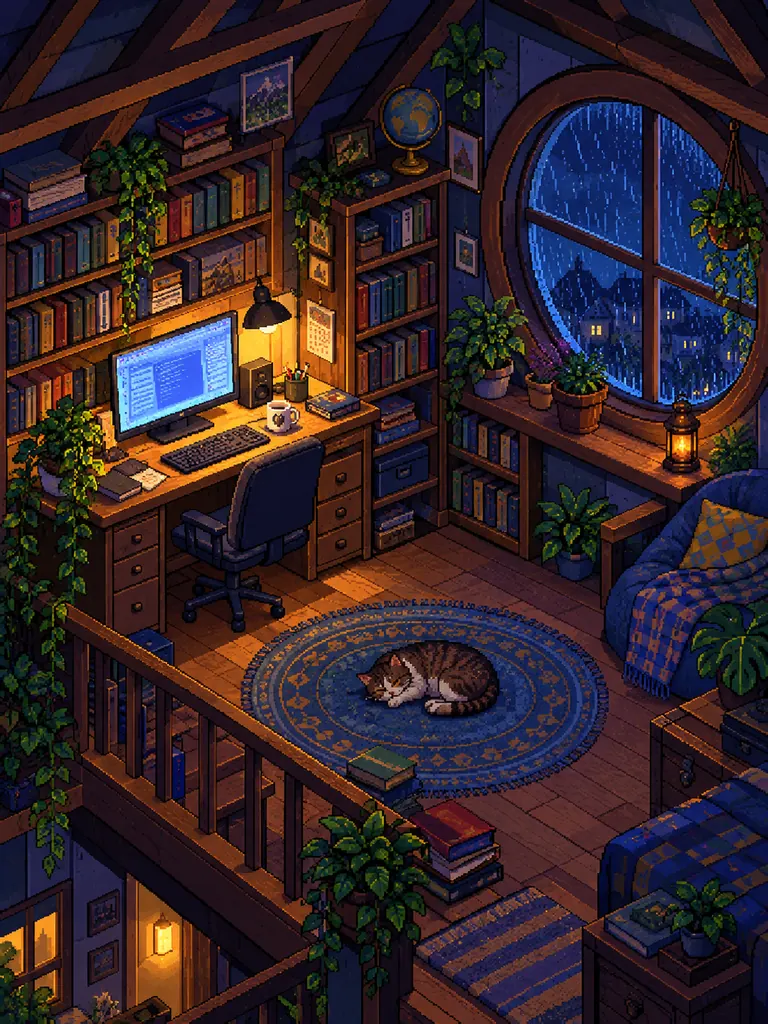
Game art from the AI pixel art generator
A level, a sprite sheet, a room and a set of icons: four kinds of AI pixel art, each from a single prompt. Every prompt names the bit depth, the palette and “crisp pixels”. Tap “Use this prompt” and change the hero or the setting.
- Twilight forest level
“A 16-bit pixel art side-scrolling game scene: an adult knight with a blue cape running across mossy stone platforms in a twilight forest, glowing mushrooms, fireflies, a small waterfall and layers of dark pine trees in the background. Limited palette of deep teal, purple and warm gold, crisp hard pixels with no blur or anti-aliasing, retro console look.”
- Character sprite sheet
“A pixel art sprite sheet of a fox adventurer with a green scarf and a small brown backpack on a plain white background: front, side and back views in the top row, and four walking frames in the bottom row. Same size, proportions and palette in every sprite, 32x32 pixel style scaled up, bold dark outlines, crisp pixels, no anti-aliasing.”
- Cozy isometric room
“An isometric pixel art room: a cozy attic studio at night with a wooden desk and a glowing computer screen, overflowing bookshelves, potted plants, a sleeping cat on a round rug and rain on a round window. Warm lamp light against cool blue shadows, 16-bit style, clean outlines, crisp pixels, no blur.”
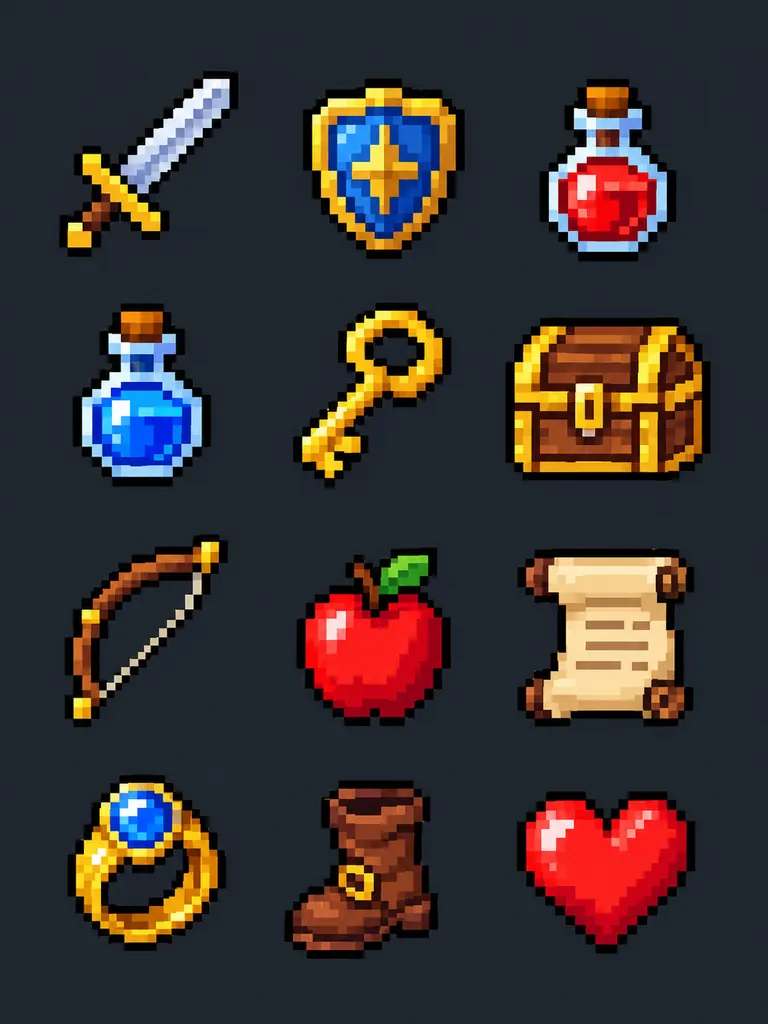 Item icon set
“A set of 12 pixel art game item icons in a neat 4 by 3 grid on a dark slate background: a sword, a shield, a red potion, a blue potion, a gold key, a treasure chest, a bow, an apple, a scroll, a magic ring, a leather boot and a heart. Each icon in 16x16 pixel style scaled up, 1-pixel dark outlines, 8-bit look, bright limited palette.”
What the AI pixel art generator makes
Pixel art is built from tiny square blocks, a small set of colors and hard edges. Describe the subject, name the bit depth and the palette, and your AI pixel art follows those rules.
- Sprites and characters. Heroes, enemies, pets and NPCs for a game or a profile picture. Ask for a sprite sheet with several poses when you need a character that walks, jumps or attacks.Name the grid size: “32x32 pixel style” · Ask for a plain background you can remove · List the poses in the order you want them
- Game scenes and backgrounds. Side-scrolling levels, top-down towns, isometric rooms, title screens and cozy scenes for stream overlays.“Side-scrolling” or “top-down” sets the camera · “Isometric” gives the 3D-looking room view · Name three or four colors for the palette
- Icons, items and tiles. Inventory items, UI buttons, emoji-style reactions and repeating ground tiles. Small objects read best with a thick outline and two or three shades per color.Ask for “a grid of icons” to get a full set · Keep each item simple and centered · Use “8-bit” for fewer colors, “16-bit” for more
How to use the AI pixel art generator
- 1Say what to draw
Start with the subject and what your AI pixel art is for: “a sprite of a frog wizard”, “a desert town seen from above”, “a set of fruit icons”.
- 2Pick the bit depth and palette
Add “8-bit” for chunky, few-color art or “16-bit” for richer shading, then name the colors. Always add “crisp pixels, no anti-aliasing”.
- 3Choose the shape
Square 1:1 suits sprites and icons, 16:9 suits levels and title screens. Nano Banana 2.1 is selected by default.
- 4Generate and clean up
Most images are ready within a few minutes (free accounts wait a little longer on premium models). Download the full-size file, then resize it if you need exact sprite sizes.
Tips for sharper AI pixel art
- 01
Ban the blur in words
AI pixel art tends to come out with soft edges unless you say otherwise. “Crisp hard pixels, no blur, no anti-aliasing, no gradients” keeps the blocky look that makes pixel art read as pixel art.
- 02
Fewer colors look more authentic
A named palette of four to eight colors looks cleaner and more retro than “colorful”.
- 03
Resize with nearest neighbor
The image looks like pixel art but is not locked to an exact grid. To use it as a game sprite, scale it down with nearest-neighbor resizing and fix stray pixels by hand.
- 04
Keep a character sheet
Reuse the prompt behind your best sprite word for word, and attach that sprite as a reference for new poses.
A free AI pixel art generator for games and retro art
This AI pixel art generator is made for people who need pixel art quickly: solo game developers mocking up a level, streamers building a cozy overlay, or anyone who wants an 8-bit portrait of their dog. You describe the scene, and the model draws it with the hard edges and small palette of an old console game.
Our newest model is the default here. For a list of twelve items or a row of poses, switch to GPT Image 2.5: it follows long prompts closely, so they come back in the order you asked for. Try Seedream for bright, saturated palettes, or the free FLUX.2 model to test an idea before you spend credits.
AI pixel art is best used as a strong start. The results look like hand-placed pixels, but they are regular images, not files built on a strict grid. They are ready for concept art and social posts; for a shipped game, tidy the last details in a pixel editor.
Google sign-ins get free credits, and more to claim every day. A 1K image with the default model costs 2 credits, 2K costs 3 and 4K costs 4. Downloads are full size with no watermark, and you may use your pixel art in personal and commercial projects.
AI pixel art generator FAQ
Is the AI pixel art generator free?
- Yes, you can start for free. Google sign-ins get free credits and more every day, and the FLUX.2 model uses no credits and is unlimited for normal use (a daily fair-use limit only stops automated abuse). The default model and the other premium models use credits.
Can I use AI pixel art sprites in my game?
- Yes. Images download without a watermark, and personal and commercial use are allowed. For in-game use, scale sprites to your exact size with nearest-neighbor resizing.
Does the AI pixel art generator make true pixel-perfect sprites?
- Not exactly. Each image is drawn to look blocky, yet the pixels do not sit on a strict grid. Ask for crisp pixels with no anti-aliasing, then clean up small details in a pixel editor if you need a pixel-perfect file.
Can I make a sprite sheet with animation frames?
- Yes. Ask for a sprite sheet, list the poses or frames and say “same size and palette in every sprite”. Short sheets of four to six frames come out the most consistent.
Can I turn a photo or a drawing into pixel art?
- Yes. Attach the picture as a reference and ask for “16-bit pixel art with the same colors and pose”. For portraits, this pixel art AI generator works best when the photo has a simple background.
Can I recreate characters from famous games?
- No. Characters and designs from existing games belong to their owners. Describe an original hero with the traits you like, and the art is yours to use.