Realistic AI Image Generator
Describe a scene the way a photographer would, and the realistic AI image generator renders it with real light, natural skin and believable detail. No camera or studio needed.
Optional: add a reference picture
No subscription·Failed runs refund credits
Sign in to get free credits every day and keep your creations.
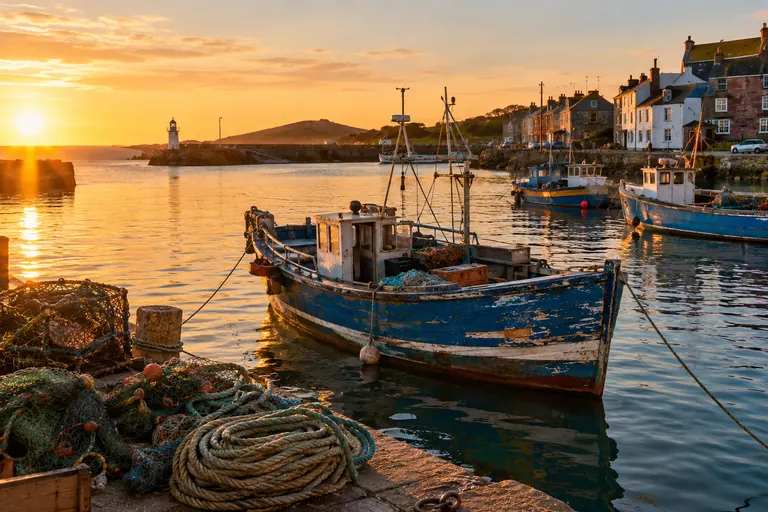
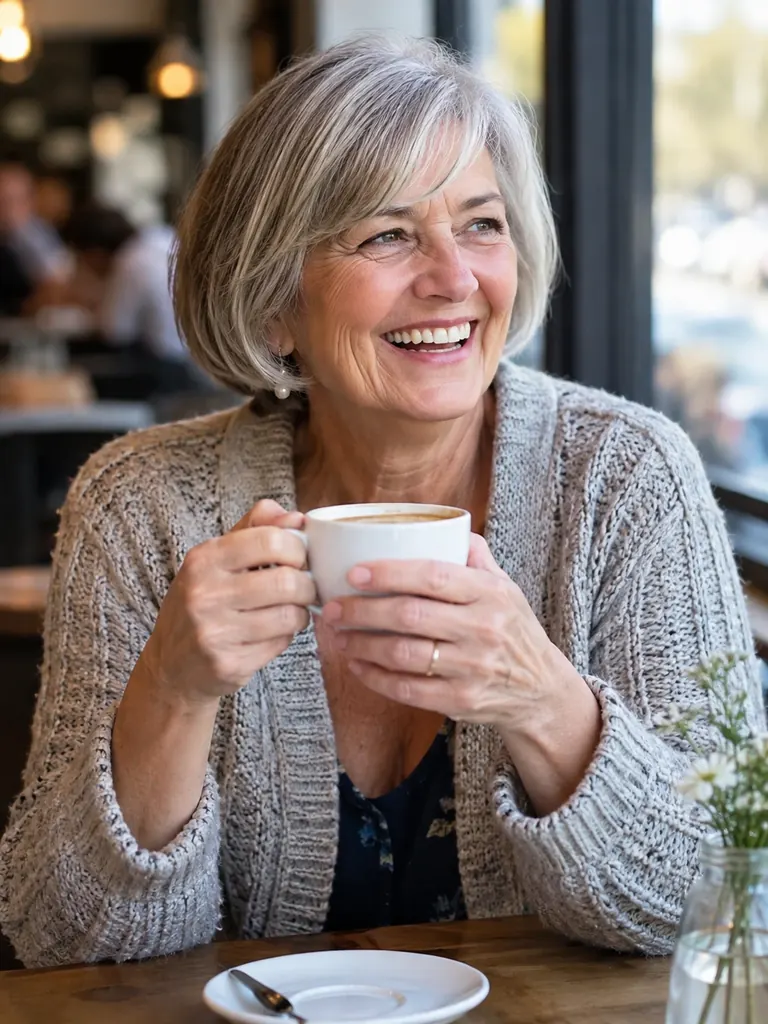
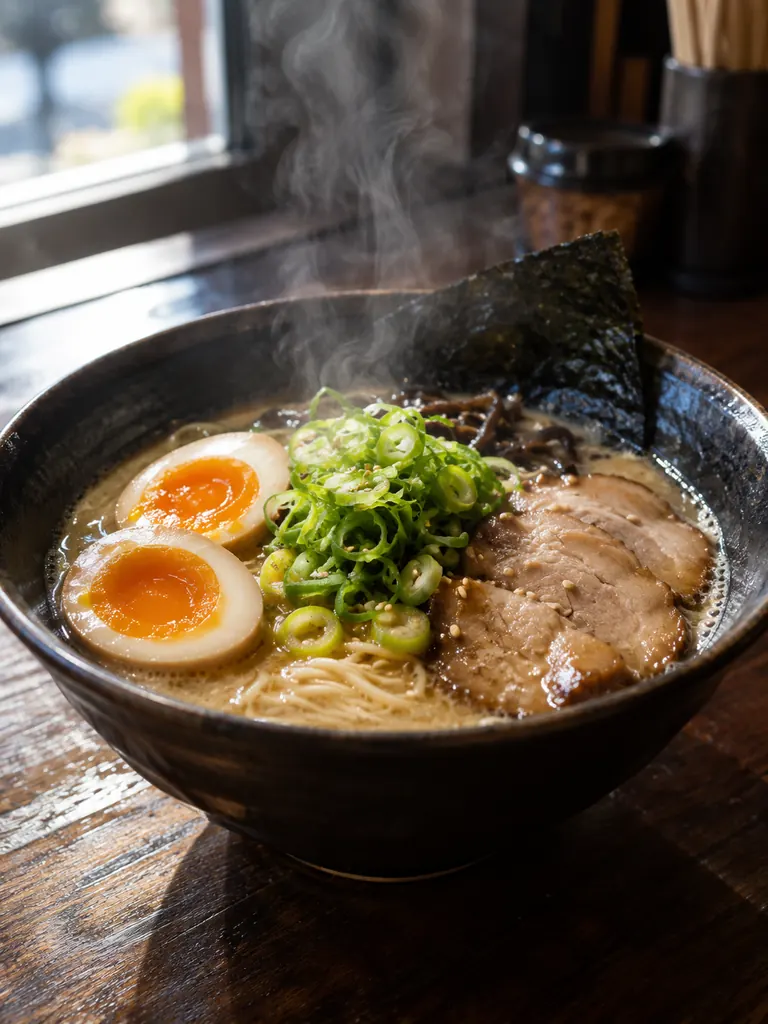
Shots from the realistic AI image generator
None of these came from a camera. Each one is a single prompt that names the subject, the lens and the light. Tap “Use this prompt” and swap in your own subject.
- Harbor at golden hour
“A photorealistic image of a small fishing harbor at golden hour, wooden boats with peeling blue paint, coiled ropes and nets on the dock, low warm sun from the left and gentle ripples on the water. Shot on a 35mm lens at f/8, natural colors, fine detail.”
- Candid portrait
“A candid photo of a woman in her 60s laughing at a café table by the window, short gray bob, knit cardigan, a cup of coffee in both hands. Soft window light, 85mm lens at f/1.8, shallow depth of field, natural skin texture with fine lines, true-to-life colors.”
- Food close-up
“A realistic close-up photo of a bowl of ramen on a dark wooden counter, a soft-boiled egg cut in half, sliced scallions and steam rising, side light from a window, 50mm lens, shallow depth of field, rich but natural colors.”
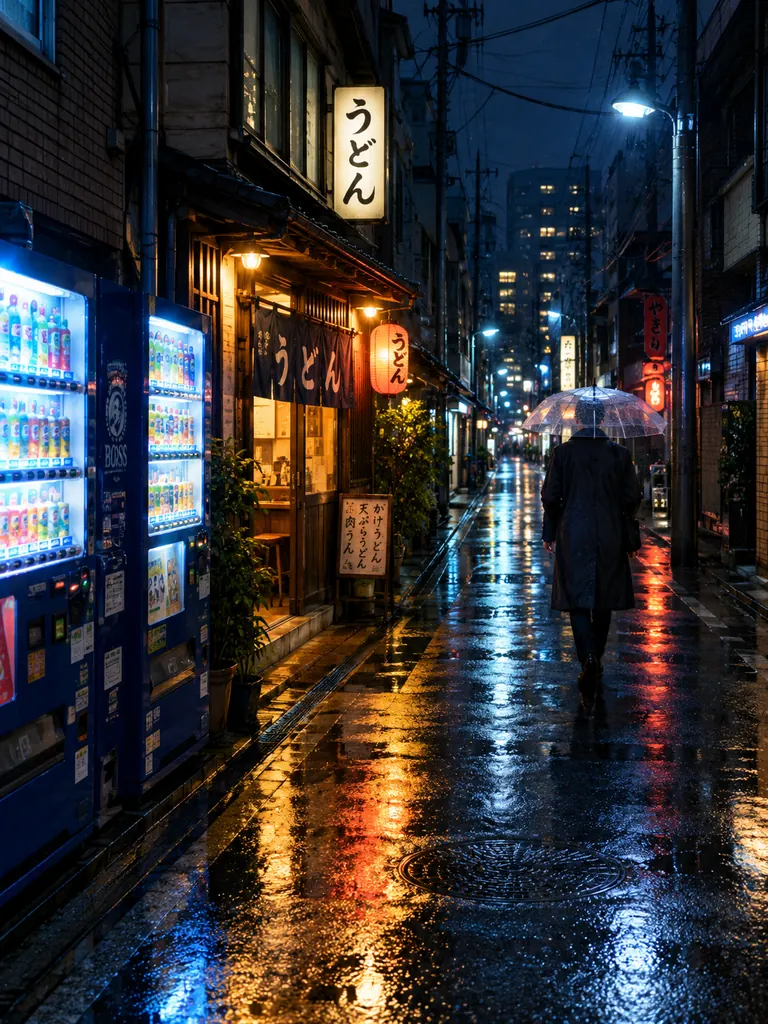 Rainy night street
“A realistic street photo of a narrow side street at night after rain, glowing vending machines and a small noodle shop with warm light, reflections on wet asphalt, a man in a dark raincoat walking away under a clear umbrella. 28mm lens, slight film grain, cool blue and amber tones.”
What makes the realistic AI image generator look real
Realism comes from the details a camera would record. The model reads photography words, such as lens, aperture, light direction and film grain, and uses them to set depth, shadows and texture. The more your prompt reads like a shot list, the more photorealistic the result.
- Camera and lens. A 24mm lens shows a wide room with depth; an 85mm lens at f/1.8 isolates a face and blurs the background. Naming the lens is the quickest way to make realistic AI images feel shot, not drawn.28mm or 35mm for streets and travel · 50mm for food and everyday scenes · 85mm at f/1.8 for portraits
- Light that behaves. Say where the light comes from and what it is: window light from the left, an overcast sky, a low sun, a single desk lamp. A clear light direction gives consistent shadows, and shadows are what the eye checks first.Name the time of day · Give one main light source · Add “soft” or “hard” shadows
- Skin, surfaces and flaws. Real photos have pores, fine lines, dust and scuffs. Asking for natural skin texture, worn wood or peeling paint keeps portraits and objects from looking waxy or plastic.Write “natural skin texture” for people · Add wear: “scratched”, “faded”, “chipped” · Skip “perfect” and “flawless”
How to use the realistic AI image generator
- 1Describe the scene
Start with who or what is in the frame, where it is and what is happening. “A baker pulling bread from a stone oven at dawn” is a full scene in one line.
- 2Add camera details
Add a lens, an aperture and the light: “50mm, f/2, warm light from the oven”. A little film grain or slight motion blur makes a scene feel more candid.
- 3Pick the frame
Choose 3:2 for classic landscape shots, 3:4 for portraits or 9:16 for phone stories. Nano Banana 2.1 is the default; Nano Banana Pro adds extra fine detail.
- 4Generate and compare
Most images are ready within a few minutes (free accounts wait a little longer on premium models). Run the prompt twice and keep the more natural one.
Tips for photorealistic results
- 01
Write a caption, not a list
A sentence such as “an old fisherman mending a net on the dock in morning fog” tells the model how things relate. A comma list of twenty keywords tends to look staged.
- 02
Keep people ordinary
Real people have messy hair, creased shirts and uneven light on the face. One or two of these details make a portrait read as a real moment rather than an ad.
- 03
Check hands and small text
Look at fingers, jewelry and any lettering before you use an image. If one detail is off, run the prompt again or keep the hands out of frame.
- 04
Go bigger for print
Choose 2K or 4K for posters, listings and print. 1K is enough for social posts and costs fewer credits.
A realistic AI image generator for shots you can’t take
A realistic AI image generator helps when the picture you need does not exist yet: a café scene for a menu, a rainy street for a book cover, a product in a kitchen you do not have. Instead of scrolling stock sites for something close, you describe the exact shot and get realistic AI images that match it.
Our newest model is the default here: it makes sharp photos and costs the fewest credits of our 4K models. GPT Image 2.5 follows long, specific prompts closely, keeping the lens, the light and the small details you asked for. For the finest skin and fabric detail, try Nano Banana Pro. Seedream gives rich, cinematic color, and the free FLUX.2 model is handy for testing an idea before you spend credits.
Google sign-ins get free credits, and more to claim every day. A 1K image with the default model costs 2 credits, 2K costs 3 and 4K costs 4. Images download at full size without a watermark and may be used in personal and commercial work.
Photorealistic pictures come with responsibility. Invented people and places are fine; images meant to deceive or harass a real person, sexual content and anything involving minors are blocked. If an image could be mistaken for a real event, label it as AI-made when you share it.
Realistic AI image generator FAQ
Is the realistic AI image generator free?
- You can start for free. Google sign-ins get free credits and more every day, and the FLUX.2 model uses no credits and is unlimited for normal use (a daily fair-use limit only stops automated abuse). The default model and the other premium models use credits.
Which model gives the most realistic AI images?
- Nano Banana 2.1 is the default. GPT Image 2.5 is strong at following detailed camera prompts, Nano Banana Pro gives the highest fine detail and Seedream the richest color. Try your prompt on two of them and compare.
Can it make realistic people?
- Yes, invented adults of any age, background and look. Add everyday details such as skin texture, stray hair and worn clothes. Sexual content and anything involving minors are blocked.
Can I add my own picture as a reference?
- Yes. Attach a picture and tell the realistic AI image generator what to keep: the light, the colors, the place or the product. The default model accepts 10 references for one image, GPT Image 2.5 16.
Will people know the image is AI?
- Often not at a glance, but a close look can reveal odd hands, text or reflections. Check those areas, and label AI-made images when they could be mistaken for a real event.
Can I use the images commercially?
- Yes. Every image downloads at full size with no watermark, and personal and commercial use are allowed. Leave out real people, brands and logos you do not have rights to.