Image to Cartoon AI
Upload a photo of yourself, a friend or your pet. Image to cartoon AI redraws it as a cartoon character and keeps the pose, the hairstyle, the outfit and the features people recognize you by.
Add a clear photo of the person or pet
No subscription·Failed runs refund credits
Sign in to get free credits every day and keep your creations.
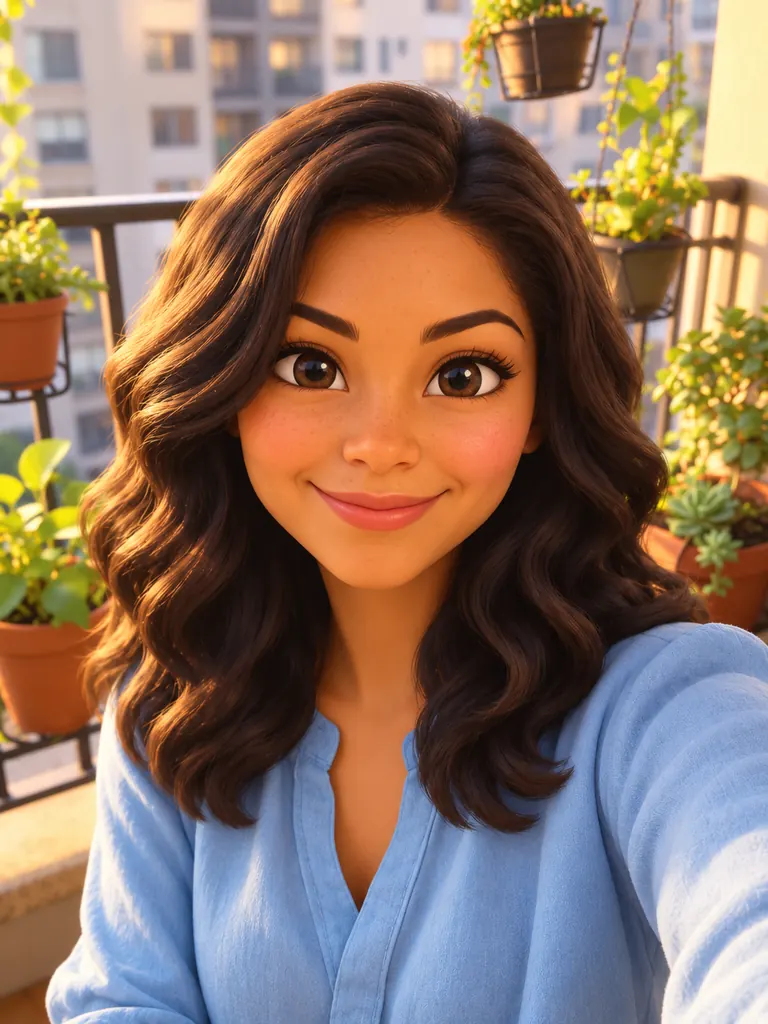
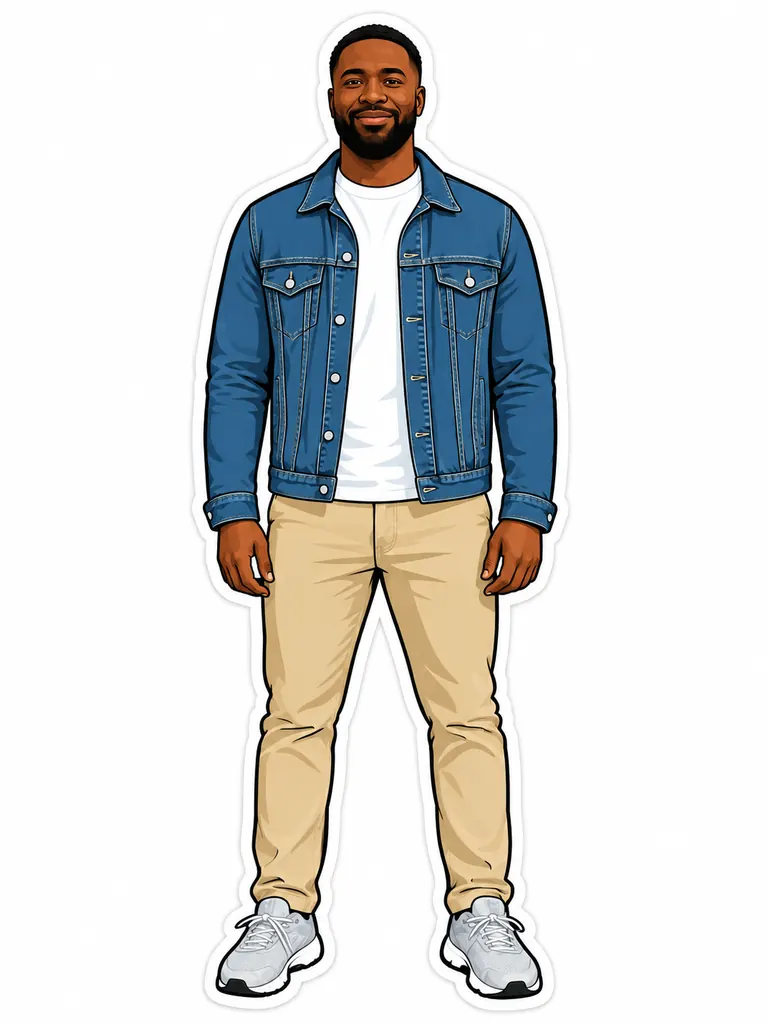
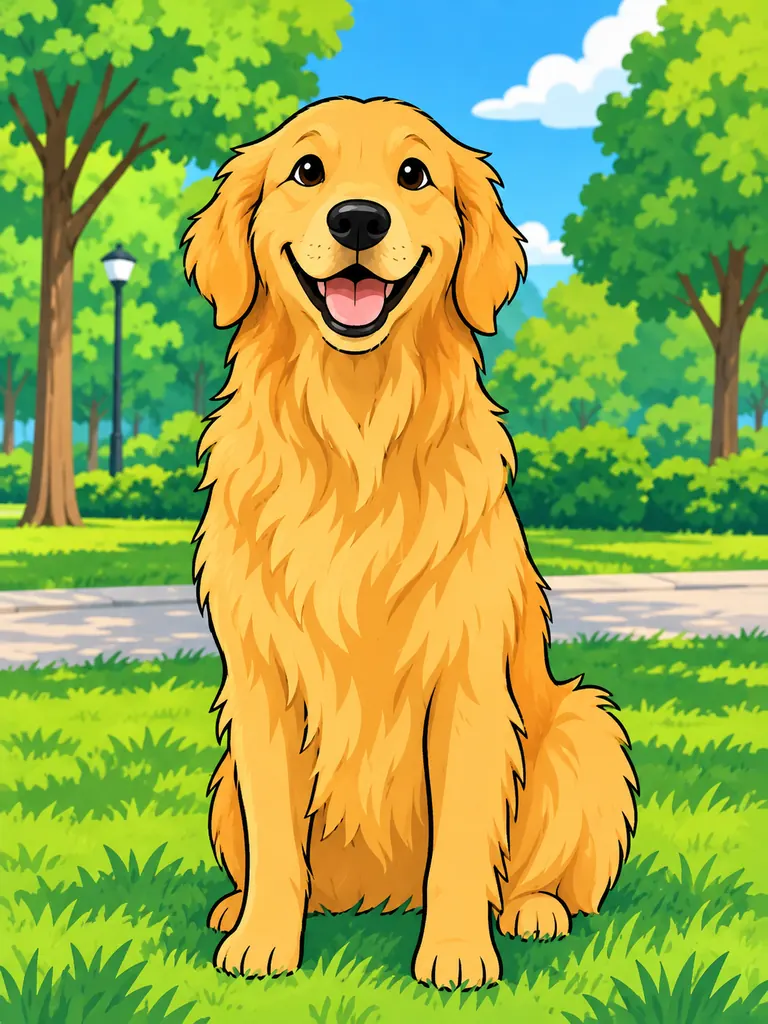
Cartoon yourself: before and after with image to cartoon AI
Each cartoon kept the pose and the features of the photo and changed only the drawing style. Tap “Use this prompt”, add your own photo and run it.
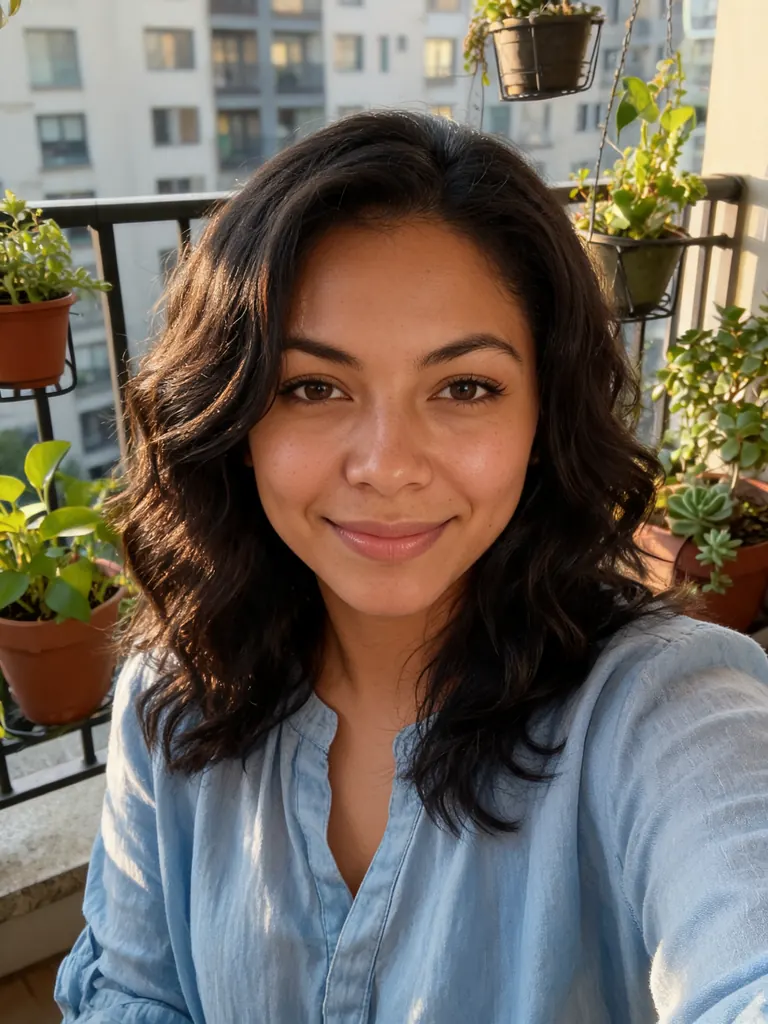
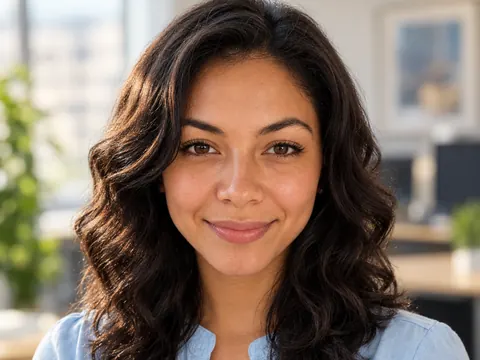
Before After 3D movie style“Recreate this selfie as a still from a 3D animated family movie, clearly a CG cartoon and not a photo: stylized proportions, big expressive eyes, a small simplified nose, smooth soft-shaded skin and wavy hair sculpted into soft clumps. Keep her smile, her dark wavy hair, her light-blue blouse and the balcony with plants, in warm afternoon light.”
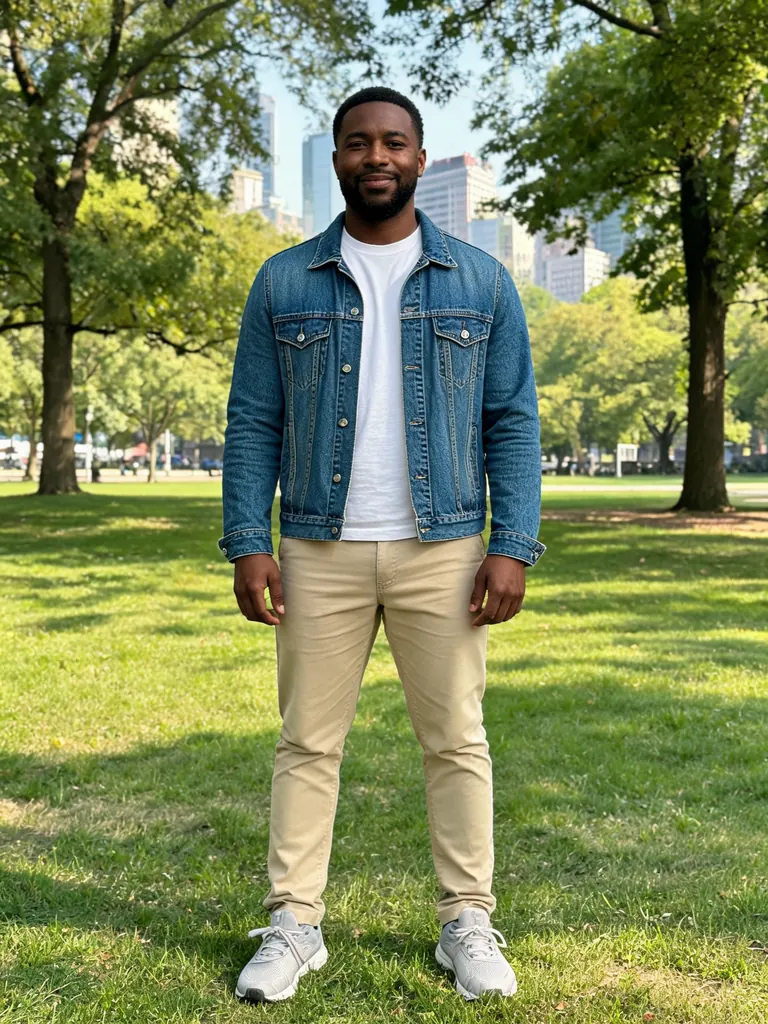
Before After Vector sticker“Make a flat vector cartoon sticker of this man: full body, the same denim jacket, chinos and standing pose, clean bold outlines, simple flat colors, a thick white border and a plain white background.”
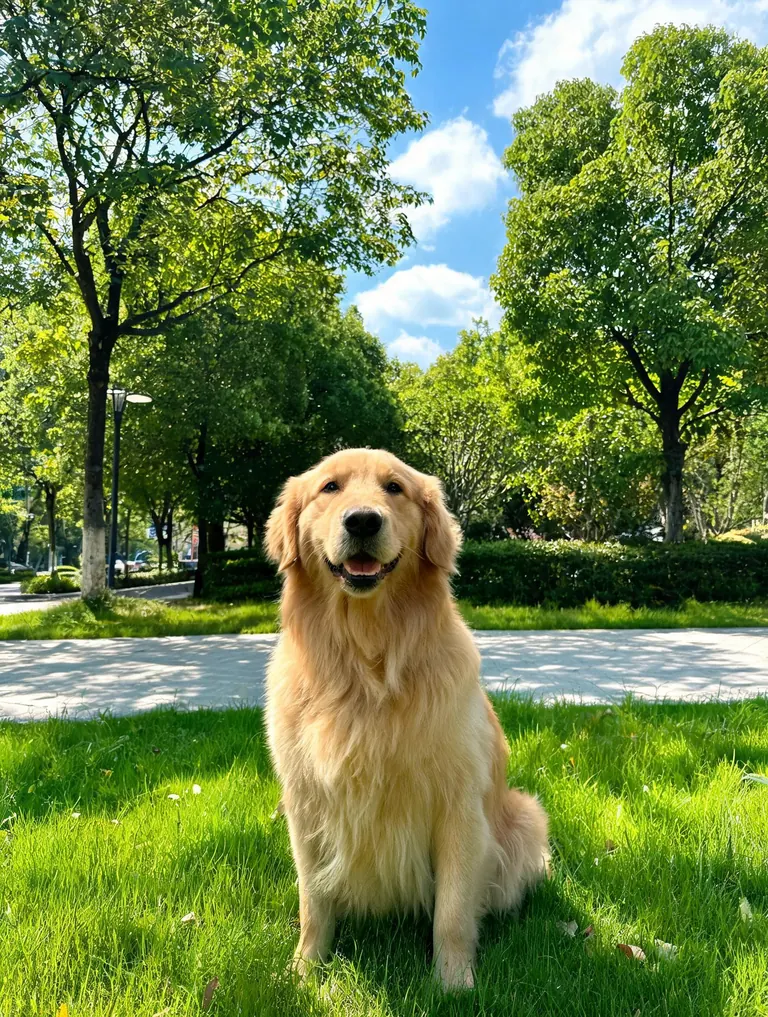
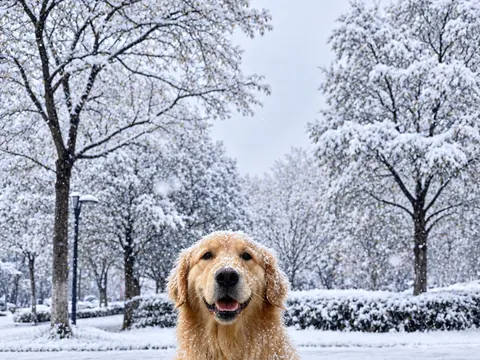
Before After Classic TV cartoon“Redraw this golden retriever as a classic 2D TV cartoon: thick black outlines, bright flat colors, a big happy grin and a simple painted park background. Keep the sitting pose and the golden coat.”
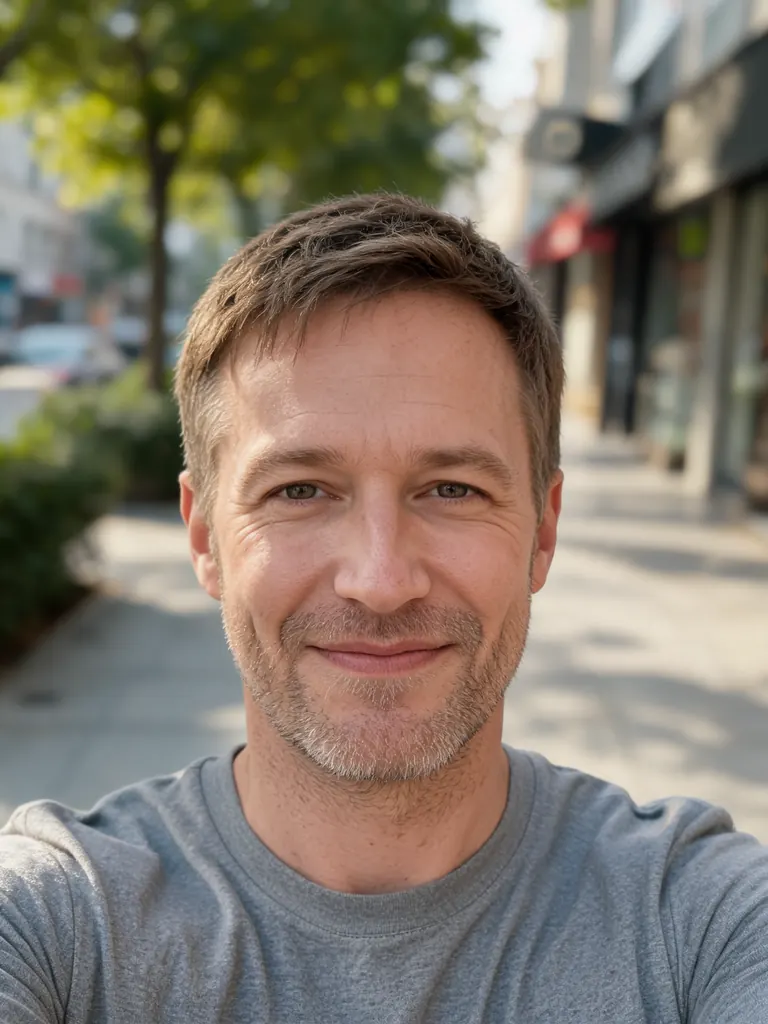
Before 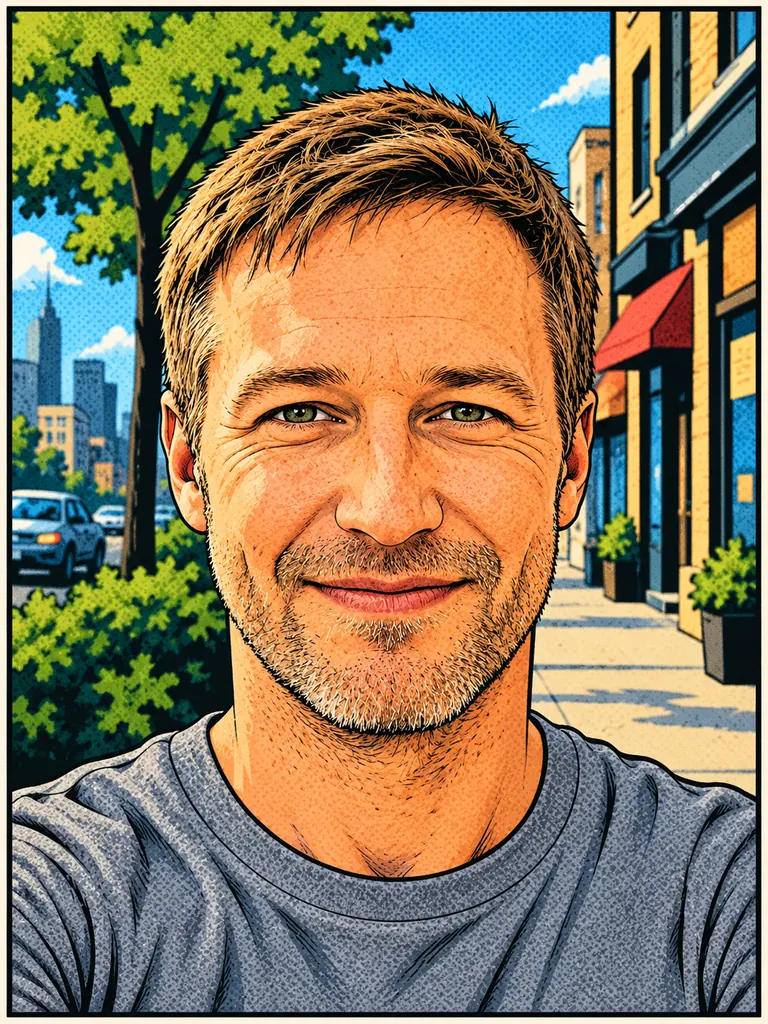
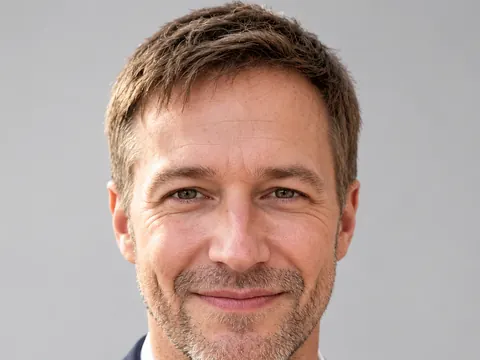
After Comic book panel“Turn this selfie into a comic book panel: inked outlines, halftone dot shading, bold colors and a simple city background. Keep his face, light stubble and gray T-shirt the same, with a friendly expression.”
Cartoon looks the image to cartoon AI can draw
A good cartoon is a simpler version of you, not a stranger in your clothes. The model keeps the features that make a face recognizable (hair, face shape, glasses, a beard) and simplifies the rest to fit the style.
- 3D animated characters. Rounded shapes, bigger eyes and soft lighting, like a family animated film. It suits profile pictures, birthday invitations and a cartoon of you and your partner.Say “slightly larger eyes” rather than “huge eyes” · Mention the light in your photo so the colors match · Name your glasses, beard or freckles to keep them
- Flat vector and stickers. Clean outlines and flat color for chat stickers, name badges, merch mockups and team pages. A white border and a plain background make the image easy to cut out.Ask for “flat colors, no gradients” · Add “thick white border” for stickers · Use a full-length photo for a full-body sticker
- Comics and classic 2D. Ink lines, halftone dots and bright TV-cartoon color. Pets and funny moments work especially well here, because the style can push expressions further.Name the line: “thick black outlines” · Ask for a simple background so the character pops · For a pet, name the breed and coat color
How to cartoon yourself with image to cartoon AI
- 1Upload a clear photo
Face the camera in good light, with one person per photo to start. Tap the + tile, drag a picture in or paste it.
- 2Pick the cartoon style
Name the style and one or two details: “3D animated, bigger eyes, warm light” or “flat vector sticker, white border”.
- 3Lock what must stay
List the features to keep: hairstyle, glasses, outfit, pose. Nano Banana 2.1 is selected by default; switch to Nano Banana 2 or Pro when likeness matters most.
- 4Save and share
Most cartoons are ready within a few minutes (free accounts wait a little longer on premium models). Download at full size with no watermark and use it as an avatar, a sticker or a card.
Tips for a cartoon that still looks like you
- 01
Name one signature feature
Curly hair, a gap in your teeth, round glasses: put it in the prompt. Cartoon styles simplify faces, and the detail you name is the one that survives.
- 02
Exaggerate a little, not a lot
“Slightly bigger eyes” reads as you in cartoon form. “Huge eyes, tiny chin” reads as a new character.
- 03
Match the style to where it goes
Stickers need flat color and a border, avatars need a tight head-and-shoulders crop, and a card needs empty space for your message. Say where the cartoon will be used.
- 04
Make a set from one photo
Keep the same photo and change only the style words to get a 3D, a vector and a comic version side by side, then keep your favorite.
How image to cartoon AI keeps you recognizable
Old cartoon filters traced the edges of a photo and filled them with flat color, so the result looked like a posterized photo. Image to cartoon AI redraws the picture from scratch: it reads the face shape, hairstyle, clothes and pose, then draws a cartoon character with those same traits. That is why you can cartoon yourself in several styles and still be the person in each one.
Our newest model is the default on this page. GPT Image 2.5 follows detailed style notes and keeps any name or caption on a sticker readable. For the most faithful faces, Nano Banana 2 and Pro usually do best. Grok Imagine 2 costs 2 credits per image, and FLUX.2 is free, needs no sign-in and cartoons a single photo.
Google sign-ins get free credits, then more every day. The default model costs 2 credits at 1K, 3 at 2K and 4 at 4K, and the exact cost shows before you generate.
Keep cartoons of other people friendly and ask before you post them. Your uploads and results stay private in My Images until you delete them.
Image to cartoon AI FAQ
Is this image to cartoon AI free?
- You can start free: Google sign-ins get free credits plus more each day. FLUX.2 cartoons one photo at no credit cost, no sign-in needed; the default model and other premium models use credits.
Will the cartoon look like me?
- Usually, if the photo is clear and the prompt names what to keep. Flat and comic styles simplify faces more than 3D styles do. For the most faithful likeness, try two models from the picker and keep the closer face.
Can I cartoon my dog or cat?
- Yes. Pets work well. Name the breed, the coat color and one expression you love, and keep the pose from the photo.
Can I put two people in one cartoon?
- Yes. Upload a photo of each person (the default model takes 10 reference photos, GPT Image 2.5 16) and say who stands where, for example “the man from photo 1 on the left”. Fewer people means more detail per face.
Can I use the cartoon as a logo or sticker?
- Yes, including commercial use. Downloads are full size with no watermark. You get an image, not a vector file, so ask for flat colors, a plain white background and a white border for clean cut-outs.
What cartoons are not allowed?
- Sexual content, anything involving minors and images meant to deceive or harass a real person are blocked. The content policy page has the full rules.