Image to Image AI
Upload a picture and describe the version you want. Image to image AI keeps the layout, the subject and the camera angle, then redraws the rest in another era, season, material or setting.
Add the image you want to transform
No subscription·Failed runs refund credits
Sign in to get free credits every day and keep your creations.
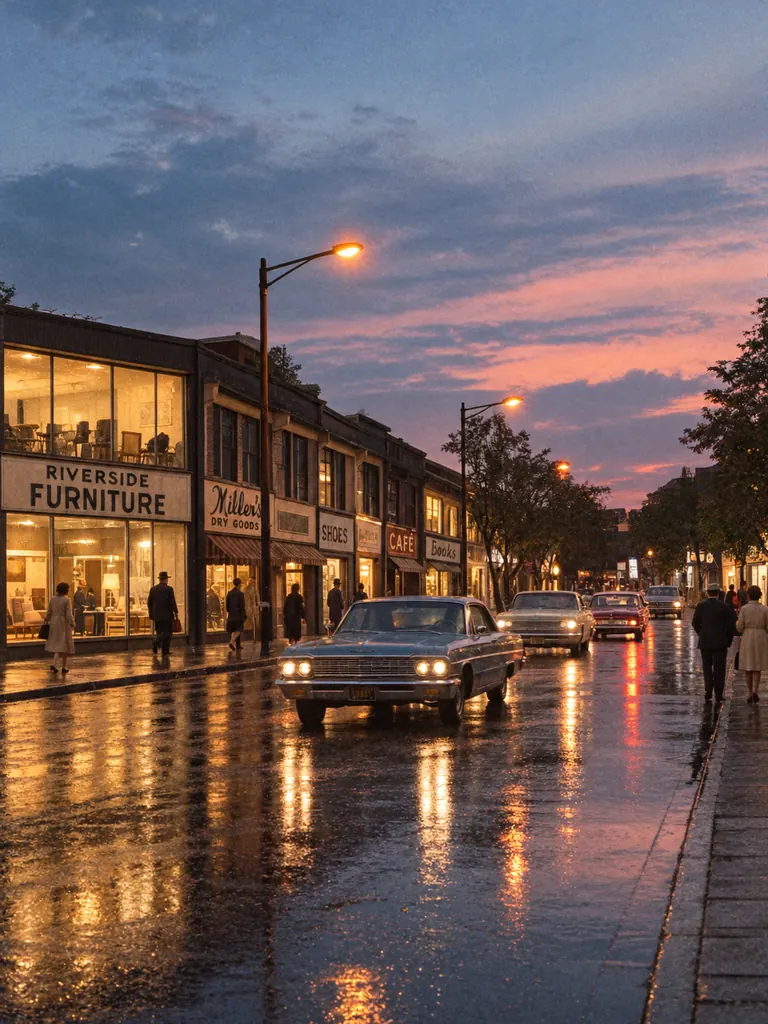
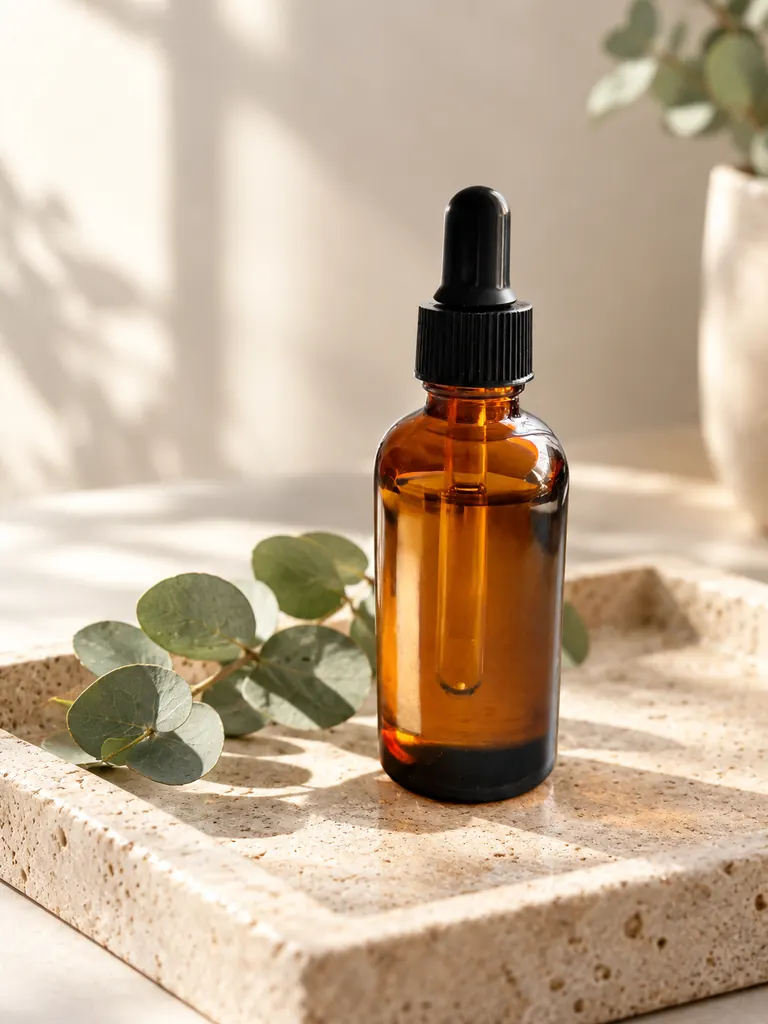
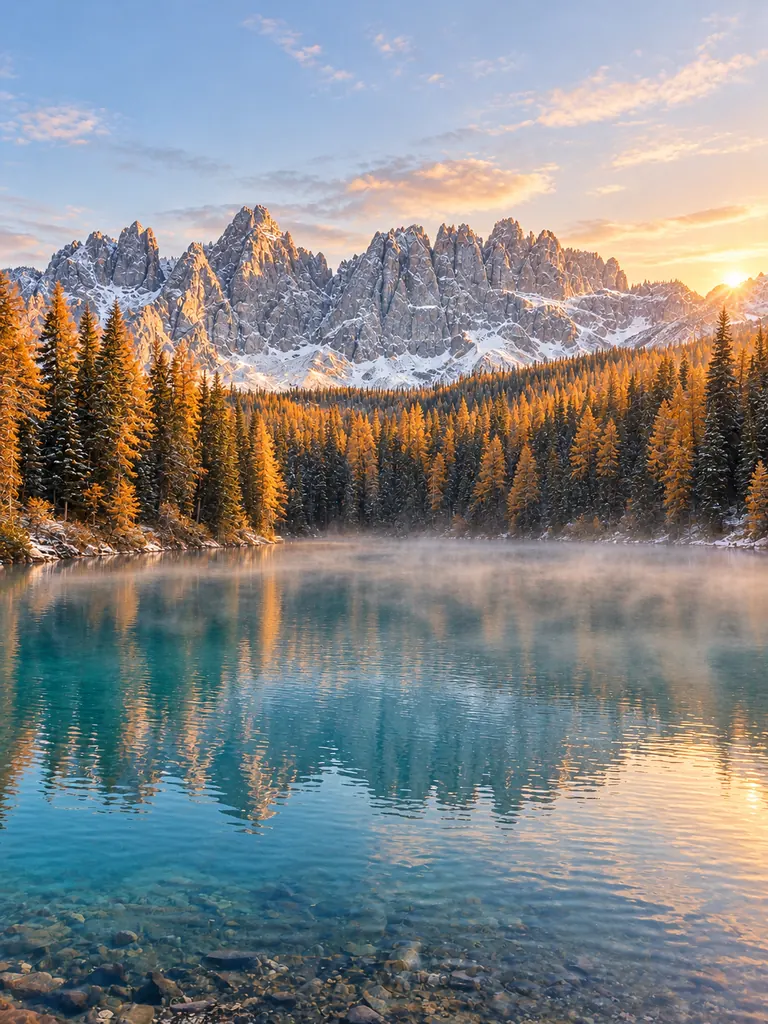
What image to image AI made from one picture
Each result kept the composition of the original and changed the rest from one prompt. Tap “Use this prompt”, add your own image and run it.
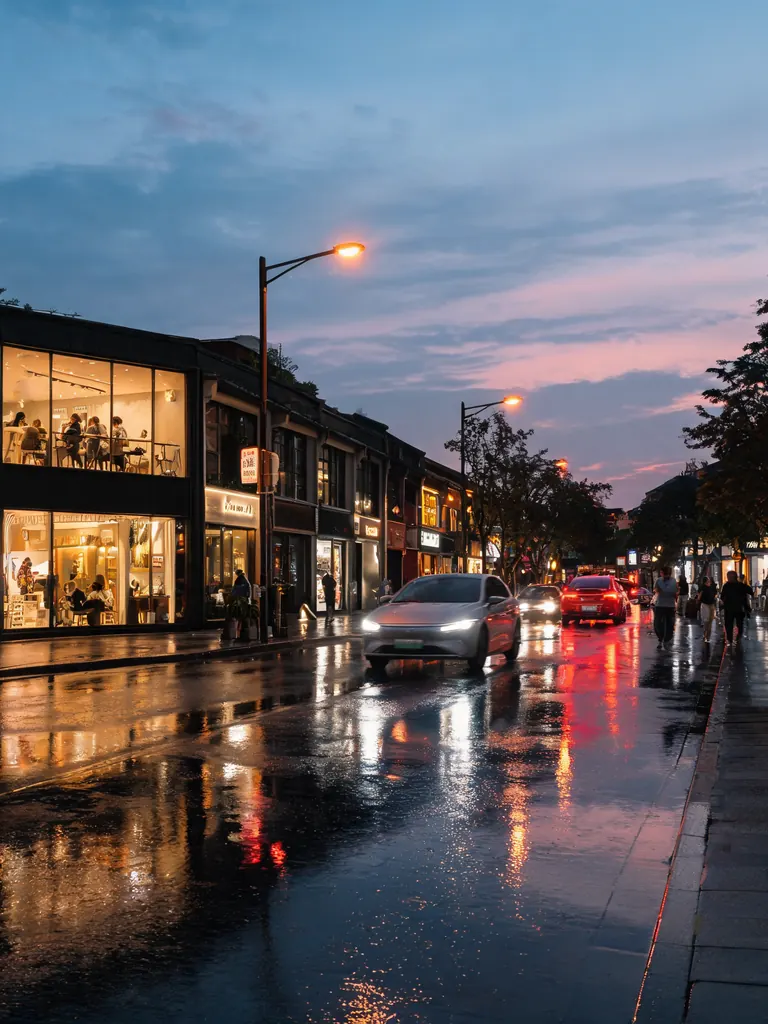
Before After Same street, new era“Turn this street into the same scene in the 1960s: keep the buildings, the wet pavement, the camera angle and the dusk light, but change the cars to classic 1960s models, give the shops simple hand-painted signs and dress the people in period clothes. Make it look like a real color photo from that time, with slight film grain.”
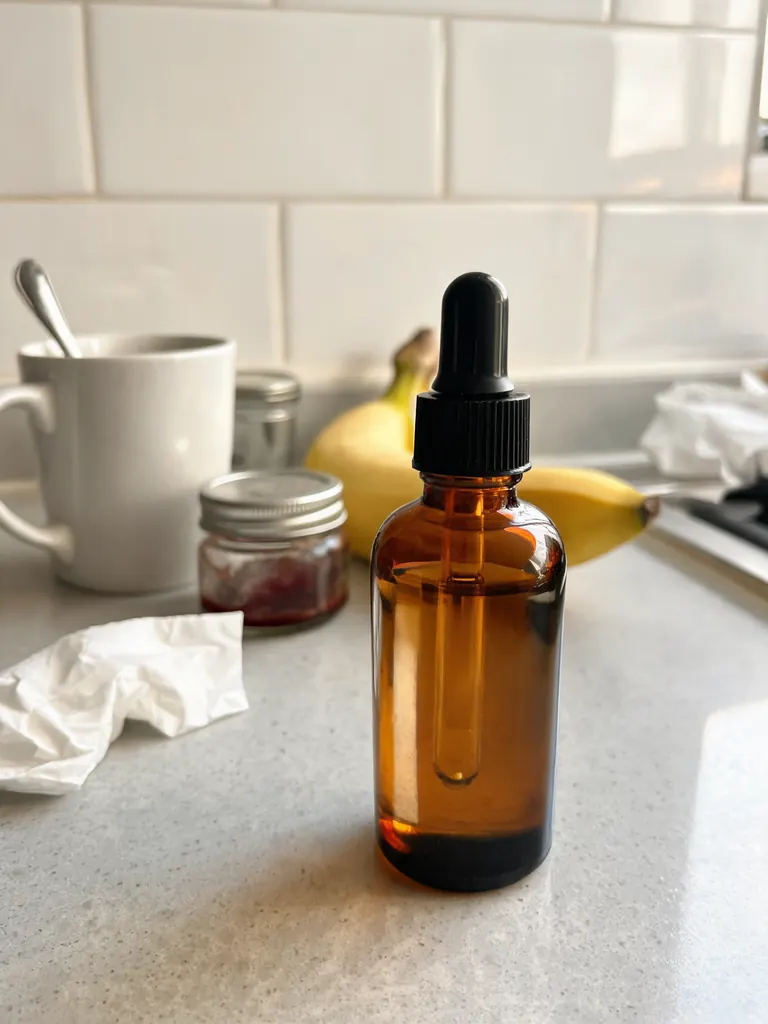
Before After New product scene“Keep the amber dropper bottle exactly as it is and place it in a clean product scene: a pale travertine stone tray with a sprig of eucalyptus, soft morning sunlight from the left and a gentle shadow. Photorealistic product photo, 85mm lens, shallow depth of field.”
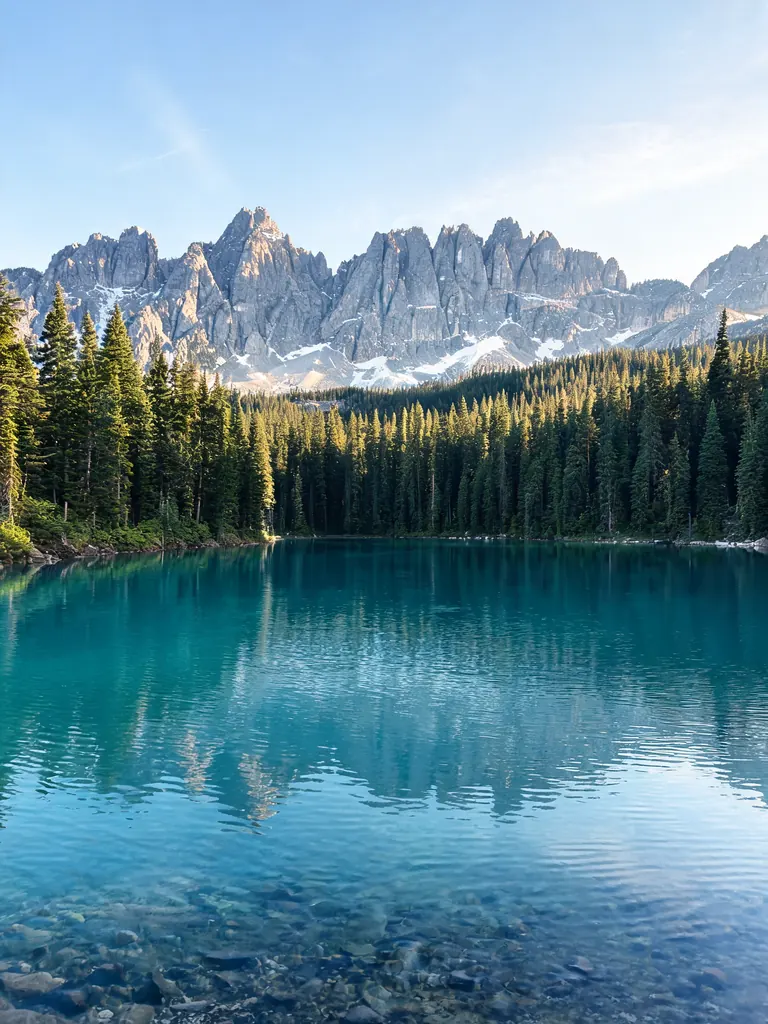
Before After Change the season“Keep the lake, the mountains and the camera angle, and change the season to late autumn at sunrise: golden larches among the pines, a dusting of fresh snow on the peaks and low mist over the turquoise water. Realistic travel photo with natural colors.”
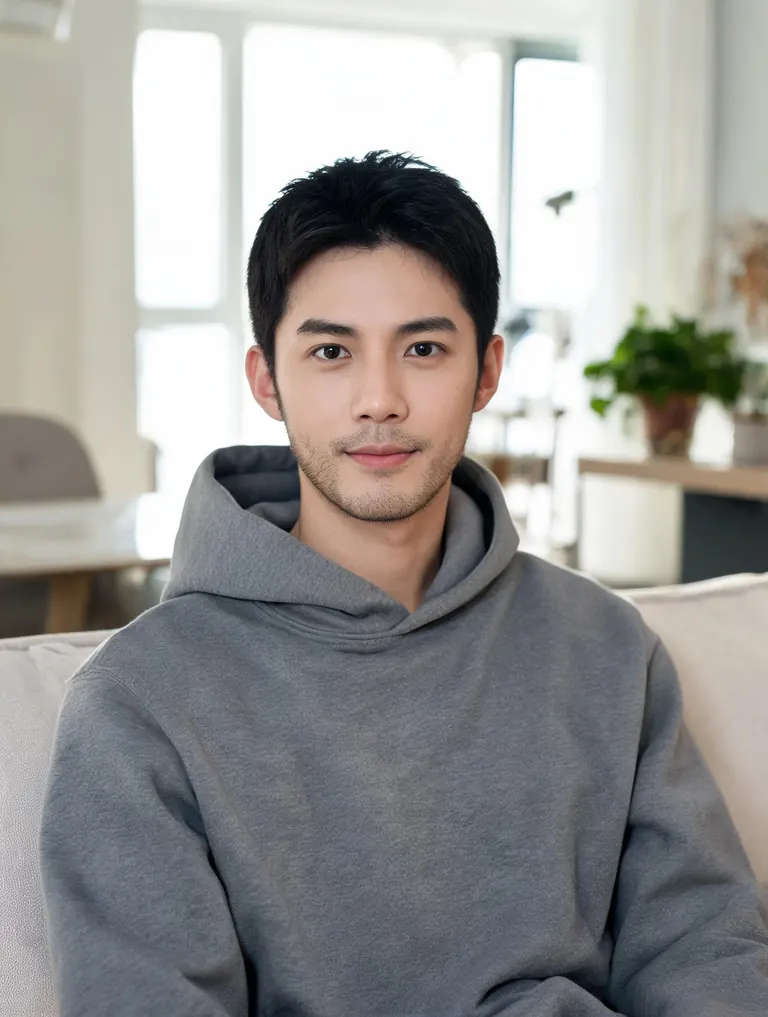
Before 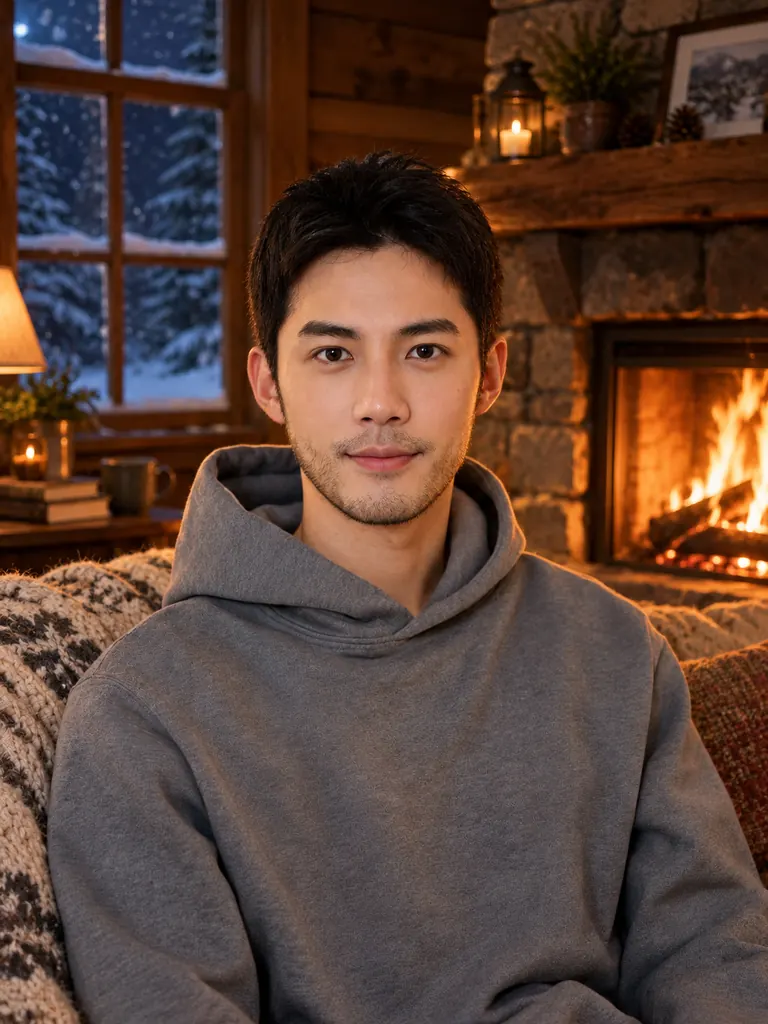
After Winter cabin“Keep the man, his face, his pose and his gray hoodie exactly as they are, and move the scene to a cozy wooden cabin on a winter night: a stone fireplace glowing behind him, a knitted blanket on the sofa, snow visible through a dark window and warm firelight on his face. Realistic photo, natural skin texture.”
What changes and what stays with image to image AI
The model reads the whole picture first: where things sit, how the light falls, what the subject is. Your prompt then decides how far the result moves away from it.
- Keep the layout, change the look. The composition, perspective and main shapes carry over, while colors, era, weather and materials change. It is the fastest way to try five looks for one scene.Say “same camera angle” to lock the framing · Name the new look in a few words: “1960s film”, “winter night” · Describe light that fits the new look
- Keep the subject, change the setting. A product, a pet or a person stays recognizable while the world around them is rebuilt. Online sellers turn one kitchen-counter photo into a full set of product shots this way.Say “keep the bottle exactly as it is” · Describe the surface, the props and the light direction · For people, Nano Banana 2 keeps faces most faithfully
- Variations and remixes. Ask for another material or medium, or a small twist on the same idea. Run one prompt twice for two different takes, or feed a result back in for the next step.Try materials: clay, paper, knitted wool, glass · Add a second image as a style reference · Keep the best take and build on it
How to use image to image AI
- 1Upload your image
Tap the + tile, drag a picture in or paste it. Photos, 3D renders and drawings in JPG, PNG or WebP all work.
- 2Say what stays and what changes
Say what should stay (layout, subject, pose) and what should change (style, season, setting, material). One or two plain sentences are enough.
- 3Choose a model
Nano Banana 2.1 is selected by default. It accepts 10 reference images, so you can pair a subject with a style photo. The credit cost shows before you start.
- 4Compare and download
Most images are ready within a few minutes (free accounts wait a little longer on premium models). Check the result against your original, then download it at full size with no watermark.
Tips for better remixes
- 01
Decide how big the change is
“Same photo, only …” gives a light touch. “Recreate this as …” gives the model room for a full restyle. Pick the wording that matches what you mean.
- 02
Lock the details that matter
List the two or three things that must not move: the text on a label, the shape of a building, the color of a car. Anything you leave out is open to change.
- 03
Match the light to the new scene
A sunny terrace needs warm, hard light; a winter night needs cool light and glowing windows. Naming the light is what makes a new setting look real instead of pasted in.
- 04
Start from a clean picture
A sharp image of at least 1,000 pixels on the long side gives the model clear shapes to follow. Crop out clutter you do not want carried into the new version.
Image to image AI, explained
Text-to-image tools start from nothing, so the layout is a surprise every time. Image to image AI starts from your picture instead. The model keeps its structure (where the horizon sits, how a product is angled, how a person is posed) and repaints the surface to match your prompt. That makes it an AI image generator from image rather than from words alone, which is why designers use it to test ideas on a real scene.
This page runs on our newest model by default. GPT Image 2.5 reads long prompts carefully and keeps printed text readable, which matters for product labels and street signs. For portraits where the face must stay close to the original, switch to Nano Banana 2 or Pro. Seedream 5 models are good for rich color, and FLUX.2 is free, needs no sign-in and works from a single image.
Google sign-ins get free credits, and more to claim every day. With the default model, a 1K image costs 2 credits, 2K costs 3 and 4K costs 4. The exact cost shows next to the Generate button before anything is spent.
Uploads are used only to make your image, and results stay private in My Images until you delete them. Only transform pictures you have the right to use.
Image to image AI FAQ
Is this image to image AI free?
- You can try it for free. Google sign-ins get free credits plus more each day, and FLUX.2 transforms one image at no credit cost, no sign-in needed. The default model and other premium models use credits.
How is this different from the AI photo editor?
- The photo editor changes one part of a photo and leaves the rest alone. Image to image AI remakes the whole picture: another style, season, era or setting built on the same layout.
Can I use more than one image?
- Yes. The default model takes 10 reference images, GPT Image 2.5 takes 16, Nano Banana 2 14 and Seedream 5 Lite 14. Upload a subject and a style or scene photo, then say which one plays which role.
Will people in my photo still look like themselves?
- Usually, when the prompt asks to keep the face and hairstyle. Likeness drifts more in strong restyles such as clay or paint. For the most faithful likeness, try two models from the picker and keep the closer face.
Can I post or sell the images?
- Yes. Results download at full size with no watermark and may be used in personal and commercial projects, as long as the image you uploaded is yours to use.
What kind of images are not allowed?
- Sexual content, anything involving minors and images meant to deceive or harass a real person are blocked. The content policy page has the full rules.