AI Product Photo Generator
Upload a quick phone photo of your product and say where it should be. The AI product image generator cleans up the background, sets the light and keeps the product itself the same.
Add a photo of your product
No subscription·Failed runs refund credits
Sign in to get free credits every day and keep your creations.
Shots made with the AI product image generator
Each result began as a phone photo on a messy desk, counter or table. Tap “Use this prompt” and run it with a photo of your own product.
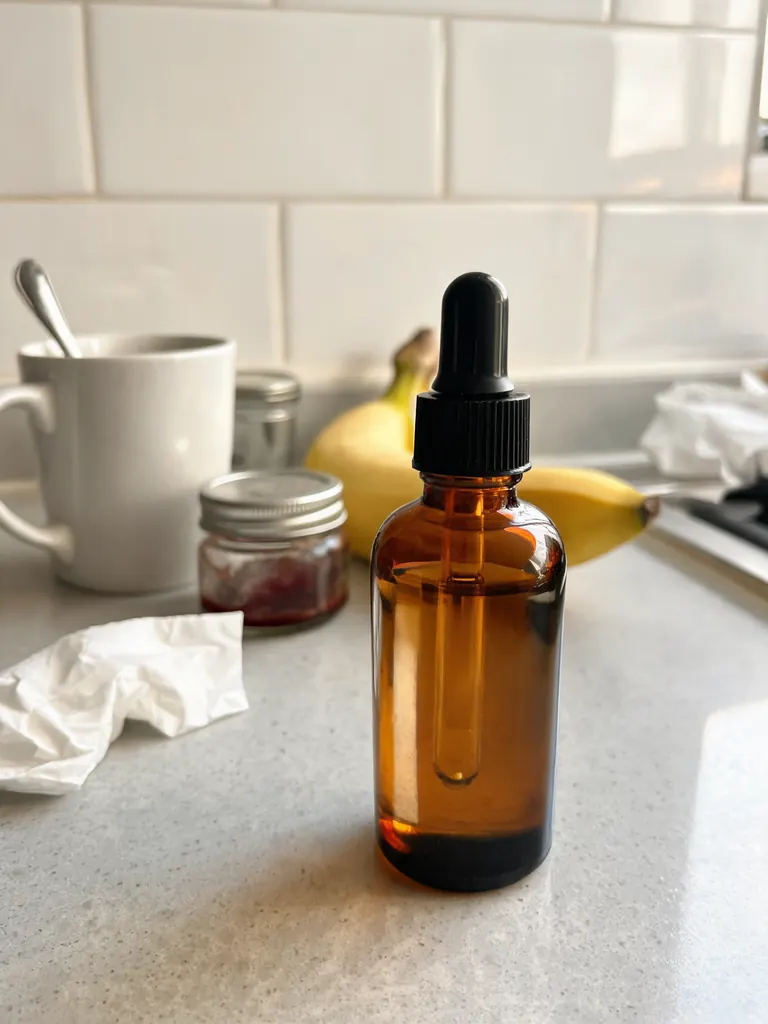
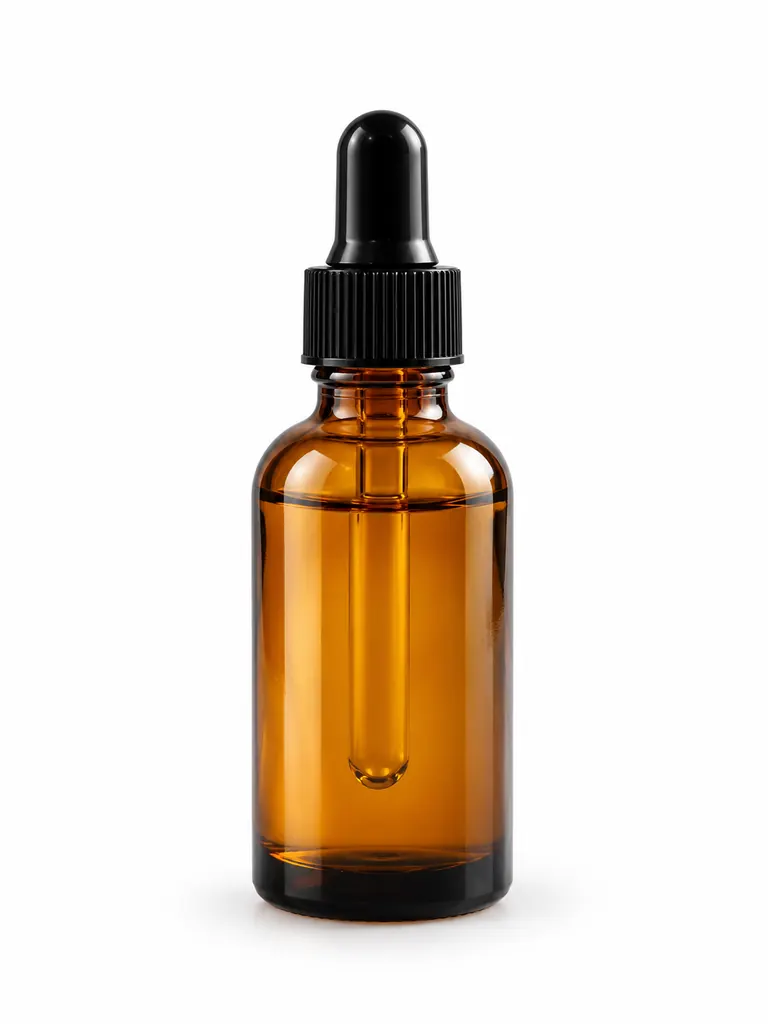
Before After White background“Turn this phone photo into a clean e-commerce product photo: the serum bottle centered on a pure white background, soft even studio light, a gentle shadow under the bottle, square framing. Keep the bottle shape, amber glass and dropper exactly the same.”
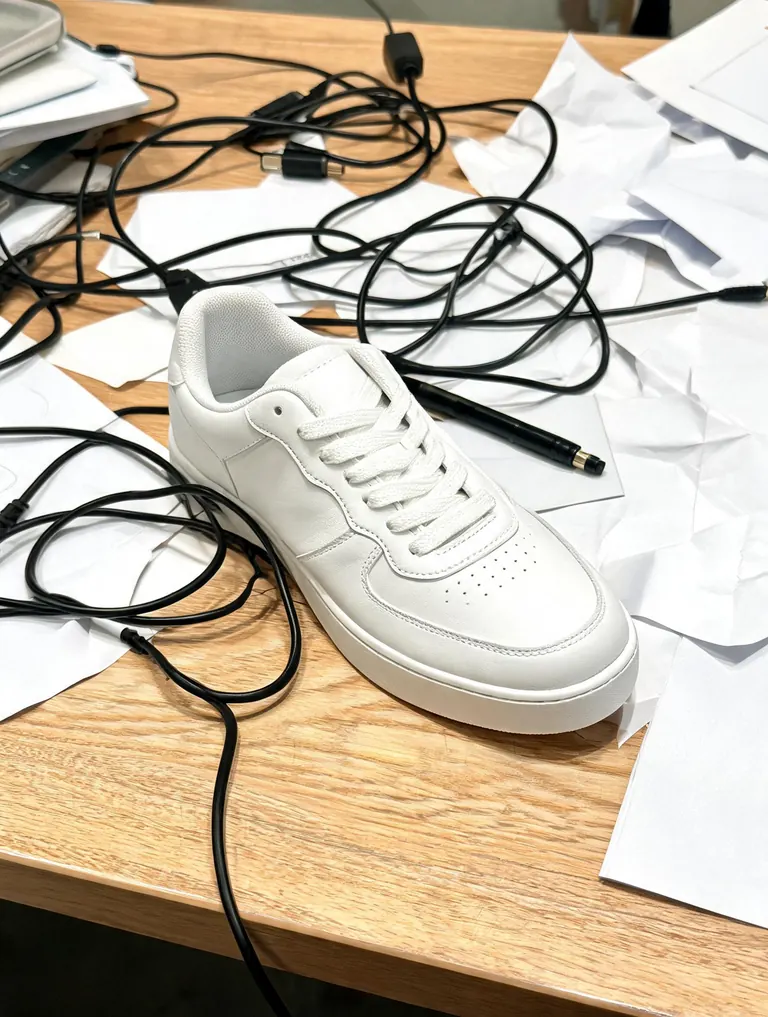
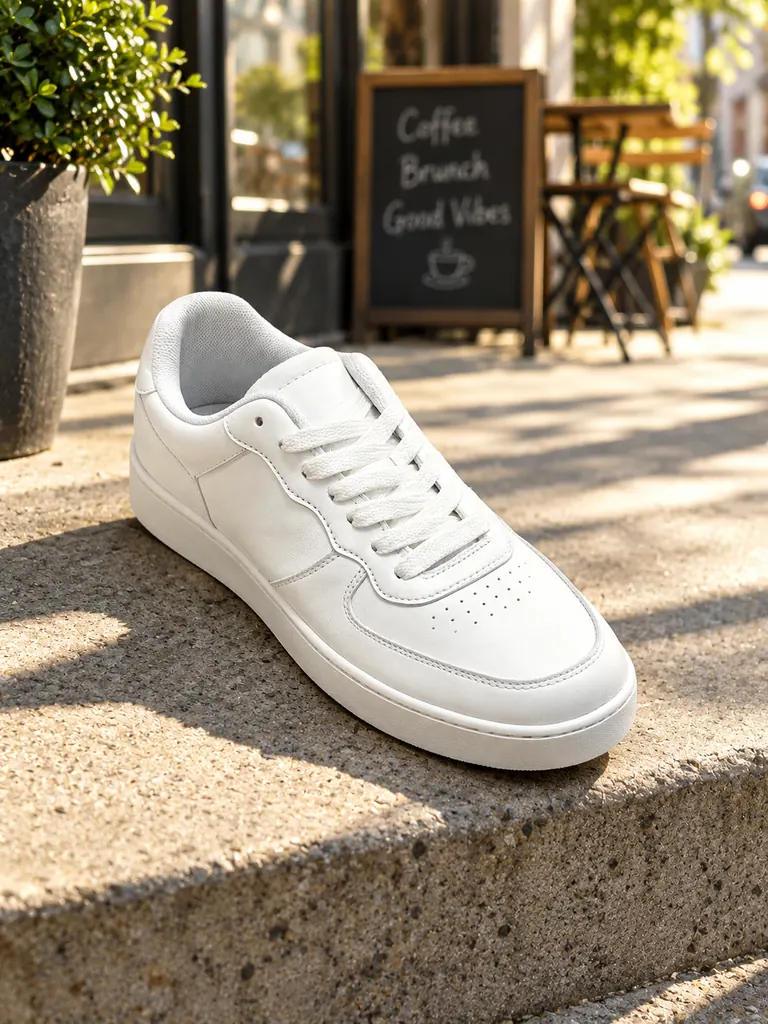
Before After Lifestyle scene“Place this sneaker on a sunlit concrete step outside a city cafe, morning light with long soft shadows, shallow depth of field, shot like a lifestyle ad photo. Keep the sneaker’s shape, stitching and colors exactly the same.”
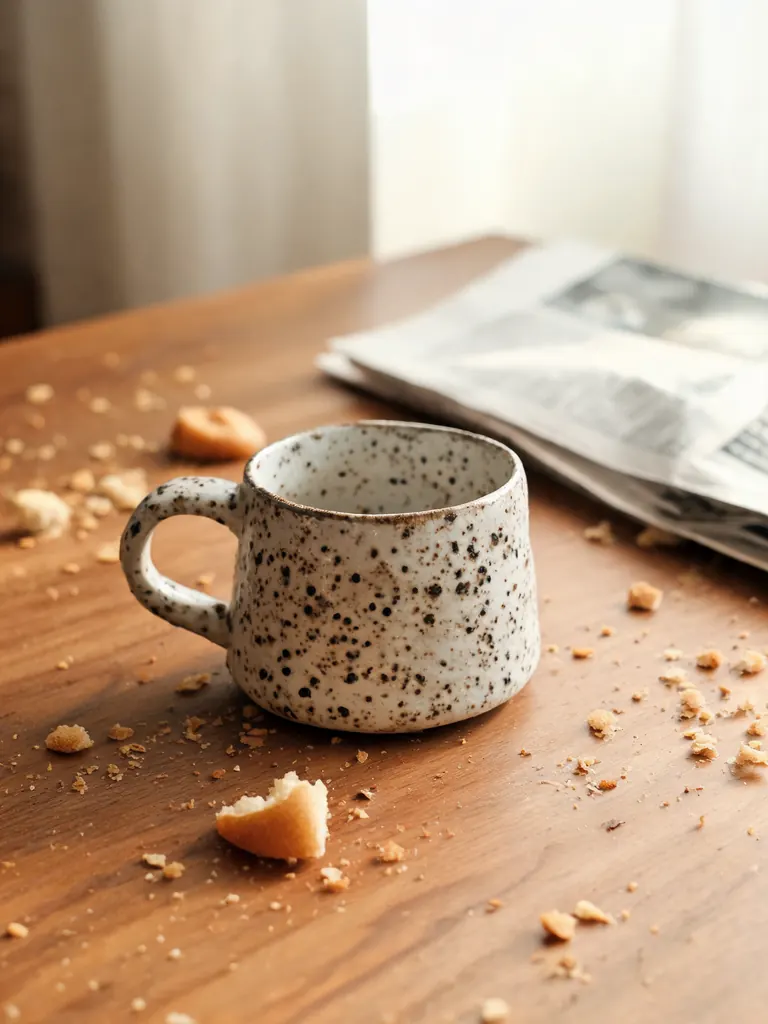
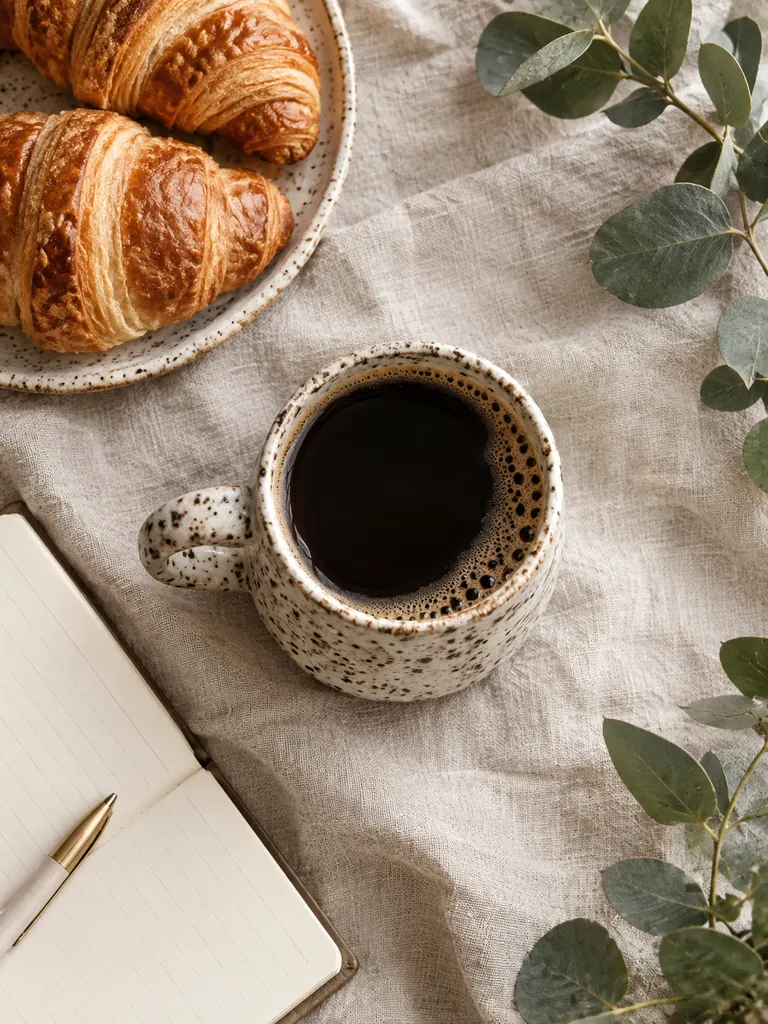
Before After Flat lay“Make a top-down flat lay: this ceramic mug filled with black coffee on a natural linen cloth, with a small plate of croissants, a sprig of eucalyptus and an open notebook around it, soft daylight. Keep the mug’s shape, speckled glaze and color the same.”
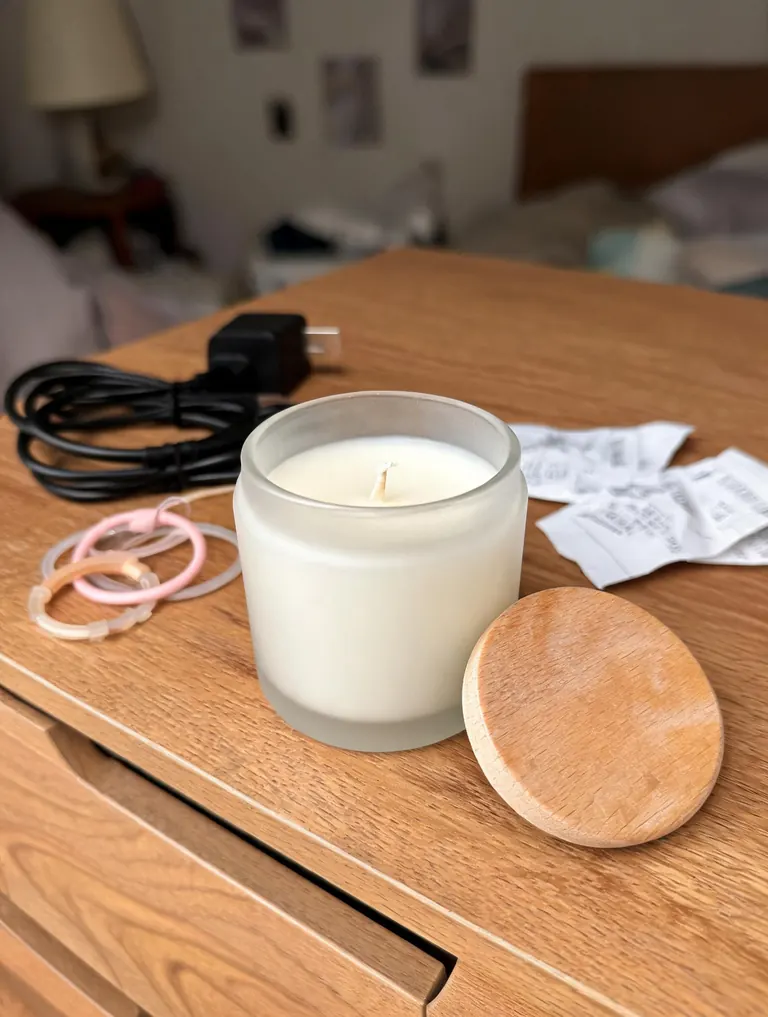
Before 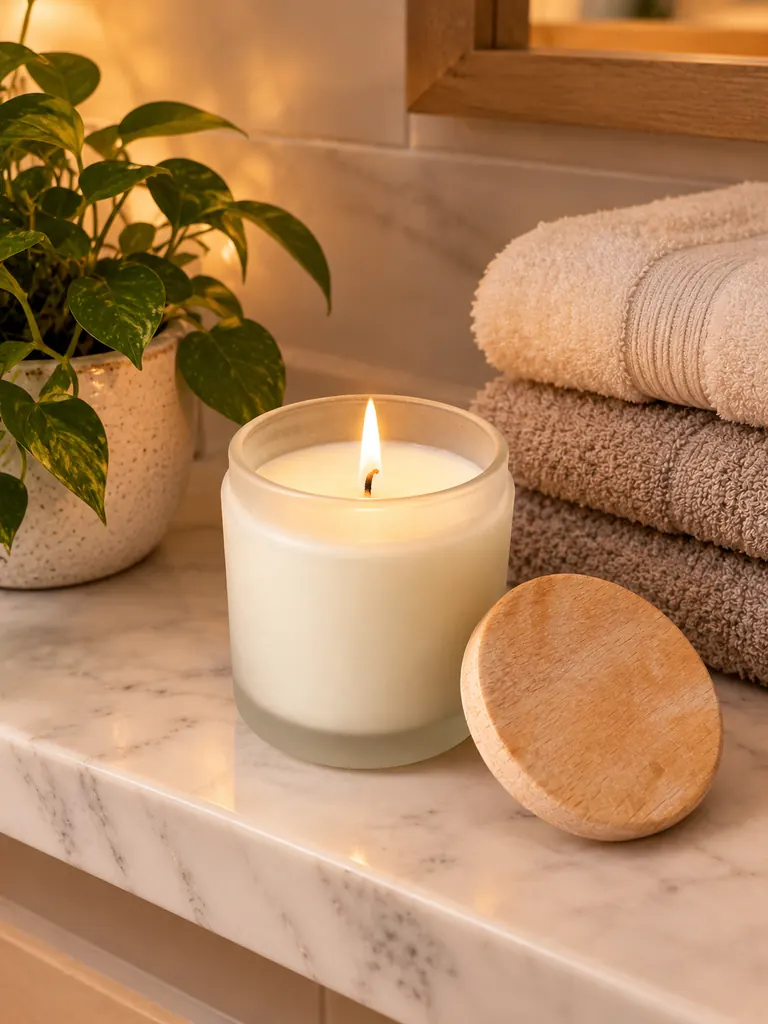
After Styled shelf“Put this candle on a white marble bathroom shelf next to folded linen towels and a small green plant, the wick lit with a soft glow, warm evening light, product photo for a shop page. Keep the jar, the lid and the wax color exactly the same.”
Three kinds of shots from the AI product image generator
Most online shops need the same three photos for every item: a clean listing image, a scene that shows the product in use, and a styled flat lay for social posts. One snapshot can cover all three.
- White-background listings. Marketplaces and store themes look best with a plain white or light gray background. The product is cut out, centered and lit evenly, with a soft shadow so it does not float.Write “pure white background, soft shadow” · Ask for a square frame for most marketplaces · Keep one product per image
- Lifestyle scenes. Show the product where a buyer would use it: a sneaker on a city step, a mug in a kitchen, a serum on a bathroom shelf. The light and reflections change to match the new place.Pick a setting your buyer knows · Name the light: morning sun, warm lamp · “Shallow depth of field” keeps the product sharp
- Flat lays and props. Top-down arrangements on linen, wood or colored paper, with a few props that tell a story. They suit social posts, banners and email headers.Two or three props are enough · Choose props that share a color palette · Say “top-down” or “45-degree angle”
How to use the AI product image generator
- 1Snap the product
Take a sharp phone photo in daylight. A messy background is fine, but the whole product should be in frame with the label facing the camera.
- 2Describe the shot
Say where the product sits, what is around it and how it is lit. End with “keep the product exactly the same”.
- 3Check model and size
Nano Banana 2.1 is the default; switch to GPT Image 2.5 when printed words on labels must stay readable. Pick 2K or 4K for zoomable store images; 1K is fine for social posts.
- 4Compare and download
Most images are ready within a few minutes; free accounts wait a little longer on premium models. Hold the result next to the real item before you publish it.
Tips for honest, sharp product photos
- 01
Protect the details
Name what must not move: the logo position, the stitching, the cap, the color. The model follows what you stress, so list the parts buyers check first.
- 02
Match your real product
Shop photos are a promise. If the AI changes a color, a size or a label, run it again or fix the prompt. Never publish an image that shows something you do not sell.
- 03
Keep a house style
Reuse the same background, light and angle for every item in a collection. Save the prompt and swap only the product photo.
- 04
Add more angles
Upload a side and a back photo as extra references so the model understands the shape. The default model accepts 10 reference photos, GPT Image 2.5 16.
Why sellers use an AI product image generator
A product photo studio needs a light tent, a backdrop, two lights and time to edit every frame. Small shops rarely have that, so listings end up with kitchen counters and cluttered desks in the background. An AI product image generator starts from the photo you already have and builds the clean version around it.
The goal is always the same product in a better setting. That is why the prompt should say what stays: shape, color, material and any printed words. Nano Banana 2.1 is the default here; GPT Image 2.5 follows long instructions and keeps text on labels readable, which matters for packaging, bottles and boxes. You can also switch to Seedream for rich color or to the free FLUX.2 model for quick background swaps from one photo.
AI product photos work for listings, ads, social posts and email campaigns. Commercial use is allowed, every image downloads at full size without a watermark, and results stay private in My Images until you download them.
Google sign-ins get free credits and more every day. A 1K image with the default model costs 2 credits, 2K costs 3 and 4K costs 4. FLUX.2 is free with no sign-in needed and unlimited for normal use (a daily fair-use limit only stops automated abuse).
AI product image generator FAQ
Is the AI product image generator free?
- You can start free: Google sign-ins get free credits and more each day. FLUX.2 edits one photo at no credit cost. The default model uses 2 credits at 1K.
Will the product look exactly like mine?
- Shape and color usually hold when you ask for them. Small print and fine logos can shift, so compare the result with the real product and run it again if a detail is off.
Can I use the images on my store and in ads?
- Yes. Commercial use is allowed and there is no watermark. Make sure each image shows the product as it really is.
Can the AI product photo generator add a model holding the item?
- Yes. Describe the person, e.g. “a woman’s hand holding the mug”, or upload a photo of a model who agreed. Hands and partial views are the easiest to get right.
What size should I choose?
- Many shops ask for square images of 1,000 pixels or more, so 2K works well. The AI product image generator also makes 4:3, 3:4 and other aspect ratios.
Which products work best?
- Solid objects with clear shapes: shoes, bottles, mugs, bags, candles, gadgets. Clear glass, jewelry and very fine text need a sharp photo and sometimes a second try.